New platform maps charity support for the Armed Forces community
Pioneering data platform maps where the Armed Forces community receive support from charities

Have you downloaded the NU Connect App? It is your app, helping you keep track of your University life and find your way around Campus.
Features include:
Want to find out more? We've created a NU Connect Guide to help you familiarise yourself with the app.
NU Connect runs on both Apple and Android - visit your App Store now.


When you first open NU Connect you’ll be prompted to login. Please enter the following information:
You shouldn’t need to enter these details again unless you re-install the App or tap the Logout button.
Please do not click the Sign-in Options button or use the "Can't access your account?" link. If you do have any issues logging in, please simply contact the IT Service Desk via the Self Service IT Portal.
Important note about security: We’ve set the app to stay logged in, this is to ensure you can quickly access key areas like your timetables. As you use your Northumbria Username and Password to access NU Connect, it’s important that you properly protect your mobile devices.
You should always keep your phone locked and, just as you would with a computer password, change it regularly and especially if you think someone else may know it.
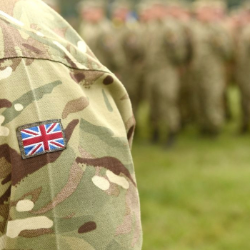
Pioneering data platform maps where the Armed Forces community receive support from charities

A major study co-led by Northumbria University will test whether attachment assessments lead…

New research published today by the AHRC Creative Communities programme provides fresh evidence…

Northumbria University's award-winning Student Law Office is launching SEND Decoded, a series…

The Net Zero Polar Science (NZPS) Doctoral Training Programme (DTP) has welcomed its first…

A new drop-in service is bringing health and wellbeing support for students at both Newcastle…
The Great Hall, Sutherland Building
-

Manchester Marriott Hotel Piccadilly
-

Sutherland Building
